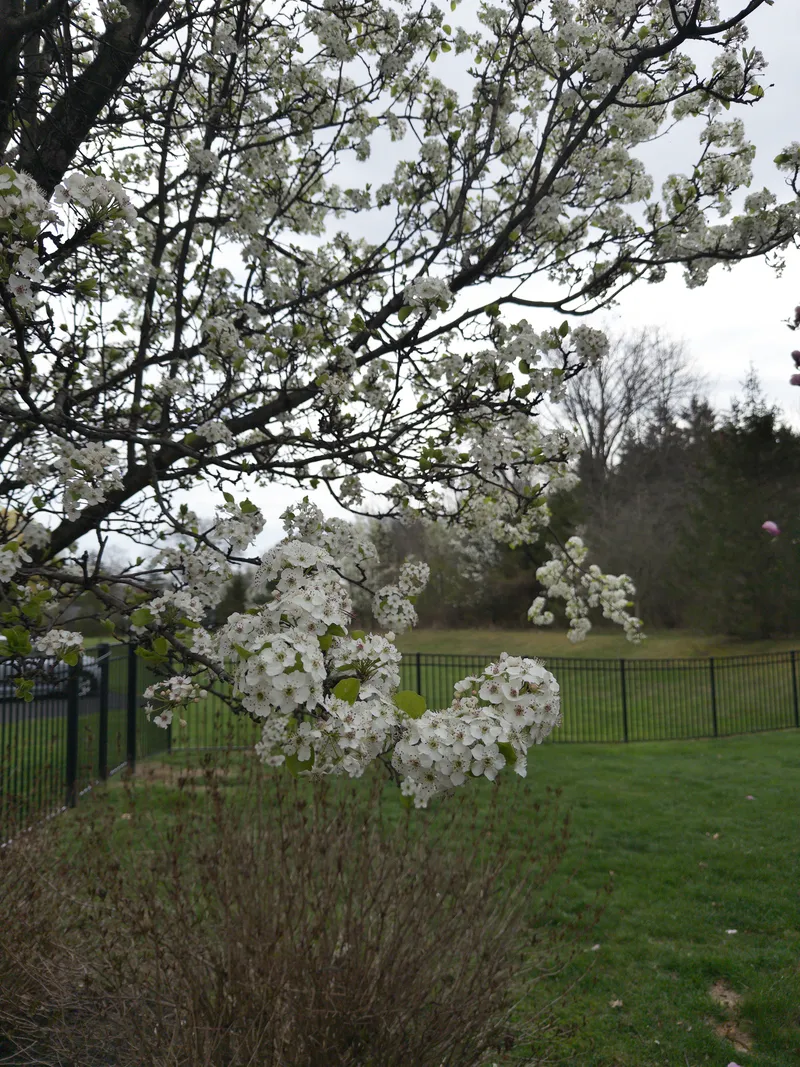
Trees are blooming! The sun is out! It feels like a miracle. I went home to visit my family for Easter last weekend and it was still a little cold and rainy, but the pear tree in the backyard was blossoming, and the magnolia tree was on its way.a note in the margin, right beside the line it's about
The site’s CSS lives in /css, loaded in this order: tokens.css → fonts.css → base.css → components.css → utilities.css. Everything on this page is rendered with that real CSS. The written inventory (class names, markup, where each piece lives) is in docs/design-system.md in the repo.
color swatches
Pastels fill, inks write: the pastels are for fills, dots, bullets and borders, and each one has a deeper -ink twin for text that passes WCAG AA on cloud, white and the callout panel. Text on oat fills (buttons, pills) stays tea.
| Color | Token | Hex code |
|---|---|---|
| Cloud | --cloud | #f9f5f3 |
| Oat | --oat | #e5d9d4 |
| Chai | --chai | #c8b8b2 |
| Latte | --latte | #786661 |
| Tea | --tea | #4b3732 |
| Puff | --puff | #f29db0 |
| Beam | --beam | #ec937c |
| Starlight | --starlight | #edd495 |
| Matcha | --matcha | #82b78b |
| Comfy | --comfy | #89c4bf |
| Joycon | --joycon | #8b8fc3 |
| Puff-ink | --puff-ink | #ba3b57 |
| Beam-ink | --beam-ink | #ac4d36 |
| Starlight-ink | --starlight-ink | #89631f |
| Matcha-ink | --matcha-ink | #3a7648 |
| Comfy-ink | --comfy-ink | #2e7470 |
| Joycon-ink | --joycon-ink | #62659e |
fonts
Headers and nav links are lowercase; body copy is sentence case (old blog posts & the changelog are mostly lowercase). h1 uses Argent Pixel and other headers use Departure Mono, but I try not to put the two too close to each other.
Artifex
Used for most body text. Emphasized text is italicized & uses the comfy color. All other text uses the tea color.
argent pixel
used sparingly, mostly for page headers & blog post titles. only lowercase.
DEPARTURE MONO
used for most headers, some navigation links, and extra flavor. always either lowercase or UPPERCASE. has to be sized down.
Maple Mono
Used for code: inline code in posts & code blocks. Ligatures
are on (-> != ===), and zeros are dotted (0)
instead of slashed.
tokens
color roles
What each color is for. Prefer these over the raw palette in new CSS.
| Preview | Token | Value |
|---|---|---|
| --color-page | #efe7e3 | |
| --color-surface | var(--cloud) | |
| --color-surface-raised | #fffdf9 | |
| --color-surface-sunken | #f2ebe8 | |
| --color-text | var(--tea) | |
| --color-text-muted | var(--latte) | |
| --color-text-subtle | var(--latte) | |
| --color-text-faint | var(--latte) | |
| --color-text-quiet | var(--latte) | |
| --color-link | var(--joycon-ink) | |
| --color-link-underline | rgba(139, 143, 195, 0.55) | |
| --color-link-dashed | var(--chai) | |
| --color-link-dashed-hover | var(--latte) | |
| --color-accent | var(--beam) | |
| --color-accent-text | var(--beam-ink) | |
| --color-emphasis | var(--comfy-ink) | |
| --color-code | var(--puff-ink) | |
| --color-highlight | rgba(237, 212, 149, 0.7) | |
| --color-fill | var(--oat) | |
| --color-fill-hover | var(--chai) | |
| --color-fill-inverse | var(--tea) | |
| --color-border | var(--oat) | |
| --color-border-strong | var(--chai) | |
| --color-border-control | var(--chai) | |
| --color-border-inactive | var(--latte) | |
| --color-success | var(--matcha-ink) | |
| --color-error | var(--puff-ink) | |
| --color-info | var(--comfy-ink) |
status
The dots in shelf tables and on book/game/show pages.
| Preview | Token | Value |
|---|---|---|
| --status-active | var(--matcha) | |
| --status-paused | var(--starlight) | |
| --status-finished | var(--joycon) | |
| --status-unknown | var(--latte) | |
| --status-sprout | var(--matcha) | |
| --status-bloom | var(--puff) | |
| --status-dormant | var(--joycon) | |
| --status-compost | var(--latte) |
font families
| Preview | Token | Value |
|---|---|---|
| steeping | --serif | "Artifex", serif |
| steeping | --sans-serif | -apple-system, "system-ui", noto, arial, sans-serif |
| steeping | --pixel | "Argent Pixel CF", Inter, sans-serif |
| steeping | --mono | "Departure Mono" |
| steeping | --code | "Maple Mono", ui-monospace, SFMono-Regular, monospace |
| steeping | --hand | "Gaegu", "Artifex", serif |
type scale
--text-label is the CSS small keyword (~13px) used for mono labels, buttons & h3–h6. --text-body is relative (em), so paragraphs scale with their container.
| Preview | Token | Value |
|---|---|---|
| tea | --text-label | small |
| tea | --text-xs | 0.8rem |
| tea | --text-sm | 0.9rem |
| tea | --text-base | 1rem |
| tea | --text-body | 1.1em |
| tea | --text-lg | 1.1rem |
| tea | --text-xl | 1.2rem |
| tea | --text-2xl | 1.4rem |
| --leading | 1.5 |
spacing
Named by pixel value. Off-scale one-offs (3px, 5px, 14px, 18px, 20px, 28px, 30px) are left as raw values where they appear.
| Preview | Token | Value |
|---|---|---|
| --space-2 | 2px | |
| --space-4 | 4px | |
| --space-6 | 6px | |
| --space-8 | 8px | |
| --space-12 | 12px | |
| --space-16 | 16px | |
| --space-24 | 24px | |
| --space-32 | 32px | |
| --space-36 | 36px | |
| --space-48 | 48px |
radii
Each size has a job. --radius (6px) is the default: the card, buttons, pills & callouts. 3px is for small controls like the teashop dropdown, 8px for things that sit on the page (post & grid cards, the speech bubble), 12px for code blocks.
| Preview | Token | Value |
|---|---|---|
| --radius-sm | 3px | |
| --radius | 6px | |
| --radius-lg | 8px | |
| --radius-xl | 12px | |
| --radius-round | 50% | |
| --radius-pill | 999px |
borders
| Preview | Token | Value |
|---|---|---|
| --border | 1px solid var(--color-border) | |
| --border-dashed | 2px dashed var(--color-border) | |
| --border-control | 1px solid var(--color-border-control) | |
| --border-inactive | 2px dashed var(--color-border-inactive) | |
| --border-cardstock | 1px solid rgba(75, 55, 50, 0.07) |
motion
| Preview | Token | Value |
|---|---|---|
| --ease-standard | cubic-bezier(0.4, 0, 0.2, 1) | |
| --duration-fast | 0.15s | |
| --duration-base | 0.2s | |
| --duration-slow | 0.3s |
layout & breakpoints
Breakpoint tokens are for reference: media queries can't read custom properties, so the values are written out in the CSS. There are no shadow tokens; the site is flat.
| Preview | Token | Value |
|---|---|---|
| --measure | 600px | |
| --measure-quote | 540px |
| Preview | Token | Value |
|---|---|---|
| --bp-narrow | 600px | |
| --bp-wide | 860px |
components
page shell
The cloud-colored .container card, the header and the footer nav. This page’s own header & footer are the live example.
<body>
  <div class="container">
    <header role="banner" class="head">…</header>
    <main tabindex="-1" id="main-content">…</main>
  </div>
</body>
<footer>
  <nav class="footer-nav">
    <h2>index</h2>
    <ul role="list"><li><a href="/blog/">blog</a>•</li>…</ul>
  </nav>
</footer>
header
partials/head.html: the tea cup (click it to cycle cups) with a speech bubble, next to the breadcrumbs and the page description or timestamp. Live at the top of this page.
<header role="banner" class="head">
  <div class="header_icon tea_container">
    <img src="/icons/tea.png" alt="Cup of Tea" class="tea_cup" id="teaCup" />
    <div class="speech_bubble" id="speechBubble">enjoy your tea! :)</div>
  </div>
  <div class="header_text">
    <!-- breadcrumbs, then .page_description or the timestamp -->
  </div>
</header>
breadcrumbs
partials/breadcrumbs.html. The home page shows an h1 instead.
<nav aria-label="breadcrumb">
  <ul class="breadcrumb-list font-pixel">
    <li class="font-pixel">
      <a href="/" class="color-joycon">home</a>
      <span class="separator" aria-hidden="true">/</span>
    </li>
    <li class="font-pixel"><span aria-current="page">docs</span></li>
  </ul>
</nav>
page description & timestamp
Under the breadcrumbs: the page’s description if it has one. The timestamp (partials/timestamp.html) is the site’s last-updated date at the bottom of the footer; a post’s own date is its date stamp.
mostly drinking tea & playing video games.
last updated:
<p class="page_description small">mostly drinking tea & playing video games.</p>

<p class="small">
  <span class="color-beam">last updated:</span>
  <time datetime="2025-06-06T00:00:00.000Z">June 6, 2025</time>
</p>
section heading
Any h2 directly inside an article gets the oat pill. Every h2 on this page is one.
section heading
Body copy under it.
<article>
  <h2>section heading</h2>
  <p>Body copy under it.</p>
</article>
text
Element styles from base.css: links, emphasis, inline code, quiet highlights (==text== in markdown, once or twice a post at most), bullet lists, quotes with a citation (the citation moves into the right margin on wide screens). Links are underlined!!! No periods in bullet points unless they all have periods (other punctuation for emphasis is okay). When to use an ampersand is kinda just a vibe.
A link, some emphasis, a bit of inline code and a quiet highlight.
- bullet points use a beam-colored dot
- no periods unless they all have periods
The tea is a pleasant shade of green.
— a cite
<p>A <a href="/blog/">link</a>, some <strong>emphasis</strong>, a bit of <code>inline code</code> and a <mark>quiet highlight</mark>.</p>
<ul><li>bullet points use a beam-colored dot</li></ul>
<blockquote>
  <p>The tea is a pleasant shade of green.</p>
  <cite>— a cite</cite>
</blockquote>
reading details
Small touches on blog posts and shelf journal entries (<article class="post">, set by the page layout): a drop cap on the first paragraph, a date stamp floated beside it, quiet highlights (==text==) and handwritten margin notes. A margin note is an Obsidian callout right after the paragraph it’s about; it joins the end of that paragraph and sits in the right margin on wide screens, or just below the paragraph on narrow ones.
the pear tree in the backyard was ==blossoming==

> [!margin] a note in the margin, right beside the line it's about
code block
Fenced code in markdown, highlighted at build time with the Rosé Pine Moon Prism theme (/themes).
const tea = { type: "oolong", oxidized: 0.4 };callout
Obsidian-style callouts in markdown (markdown-it-obsidian-callouts). The icon is hidden.
a callout
Callout body text, a little smaller than normal paragraphs.
> [!note] a callout
> Callout body text, a little smaller than normal paragraphs.
footnotes
Markdown footnotes (markdown-it-footnote), rendered without brackets. This one1 is at the bottom of the page.
This one[^1] is at the bottom of the page.

[^1]: The footnote text.
image grid
The {% grid %} shortcode wraps markdown images in .image-grid.


{% grid %}


{% endgrid %}post list
partials/thumbnails.html: dashed cards with the post’s first photo, title, date and summary. Used on the blog index and for game journals and notes. Set collection before including it.
-
weeknotes eight
Trees are blooming! The sun is out! It feels like a miracle.
-
weeknotes seven
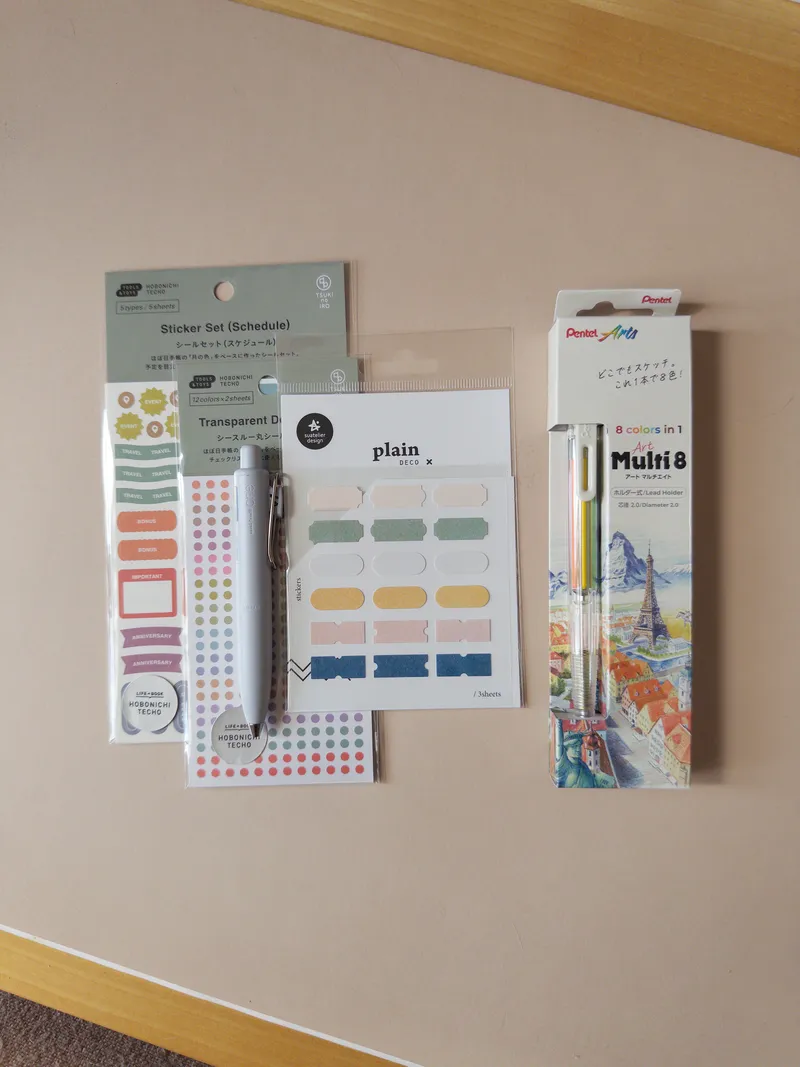
I got new stickers for my journal, but now I have decision paralysis.
<ul role="list" class="post-list">
  <li class="post-item">
    <div class="post-thumbnail"><img src="…" alt="" loading="lazy" /></div>
    <div class="post-details">
      <h2 class="lowercase"><a href="…">post title</a></h2>
      <time datetime="…" class="small">date</time>
      <p class="font-serif">summary</p>
    </div>
  </li>
</ul>
post grid
partials/grid.html: image-first cards in a grid, used for game challenge logs (spiral abyss etc). Set collection and optionally limit.
<ul role="list" class="post-grid">
  <li class="grid-card">
    <div class="grid-image"><img src="…" alt="" loading="lazy" /></div>
    <div class="grid-content">
      <h2><a href="…">post title</a></h2>
      <time datetime="…" class="small">date</time>
    </div>
  </li>
</ul>
overview
partials/shelf/overview.html, on the home page: the illustration next to the latest posts and a button link.

<section class="overview">
  <div class="illustration"><img src="/icons/jill.gif" alt="…" /></div>
  <div class="latest_posts">
    <h2 class="lowercase">latest posts</h2>
    <ul role="list"><li class="lowercase"><a href="…">post title</a></li></ul>
    <p class="button_style"><a href="/blog">see more</a></p>
  </div>
</section>
shelf table, filters & status
partials/shelf/*.html. Rows carry data-status (active, paused, finished) for the filter buttons. The dot is a .swatch colored with a --status-* token. Summary tables on /shelf add a .see-more link instead of filters.
| Reading | Status |
|---|---|
| a book in progress | reading |
| a paused book | paused |
| a finished book | finished |
<div class="shelf-filters">
  <button class="shelf-filter nano sm silver active" data-filter="all">All</button>
  <button class="shelf-filter nano sm silver" data-filter="active">In progress</button>
</div>
<section class="shelf-table">
  <table>
    <tr><th>Reading</th><th>Status</th></tr>
    <tr data-status="active">
      <td><a href="…">title</a></td>
      <td><div class="swatch" style="--stk: var(--status-active)"></div>reading</td>
    </tr>
  </table>
  <p class="shelf-empty" style="display: none">Nothing here!</p>
  <div class="see-more small"><a href="…">see more →</a></div>
</section>
shelf info
The header on a book, game or show page (layouts/book.html, layouts/game.html).

<div class="shelf-info">
  <img class="shelf-cover-img" src="…" alt="" />
  <div class="meta">
    <a href="…">title</a>
    <p>author</p>
    <div class="shelf-info-status">
      <div class="swatch" style="--stk: var(--status-finished)"></div>
      <p>finished</p>
    </div>
  </div>
</div>
buttons & labels
Plain button, the .secondary variant, the iPod-nano-inspired .nano buttons (.sm, .round, .silver; set --c for another color, and .on or aria-pressed for a pressed toggle), a link styled as a button (.button_style), and .label for small uppercase captions.
label
<button>button</button>
<button class="secondary">secondary</button>
<button disabled>disabled</button>
<button class="nano">serve</button>
<button class="nano" style="--c: var(--comfy)">comfy</button>
<button class="nano sm silver">silver</button>
<button class="nano sm silver" aria-pressed="true">on</button>
<button class="nano round silver" aria-label="close">×</button>
<p class="button_style"><a class="nano sm silver" href="/blog/">nano link</a></p>
<p class="button_style"><a href="/blog/">button link</a></p>
<p class="label">label</p>
dropdown
A <details> panel, used in the teashop.
open me
label
Contents of the panel.
<div class="dropdown">
  <details>
    <summary>open me</summary>
    <p class="label">label</p>
    <p class="stat-display">Contents of the panel.</p>
  </details>
</div>
die-cut stickers
.diecut is Phosphor’s Flower (fill weight) on cardstock, cut around its shape: a warm-white edge, a hairline outline and a small shadow, so it sits a little above the page. Set --stk to a pastel, --tilt to a few degrees, and font-size to scale it. The span is empty, since the flower is drawn in CSS. It’s decoration, so add aria-hidden="true".
Where they’re stuck: a seal at the end of every post, before the tags (.post-seal, colored by the post’s date); the newest card on /blog (.card-sticker, via <Thumbnails sticker />); and the middle of every <hr> except the footnotes’ one. Keep it to one or two per page, so they stay special.
in a sentence it sits on the line like a little stamp.
utilities
utilities.css: .color-* (one per palette color; the pastel ones use the matching -ink color, so they’re readable as text), .font-sans, .font-serif, .font-pixel, .font-mono, .small and .lowercase.
puff beam matcha comfy joycon
font-mono
small
LOWERCASE
teashop
The teashop game (Svelte, src/svelte) has its own set of classes in components.css: .game-data, .teashop-grid, .garden-plot, .teapot, .control-buttons, .pause-button, .delete-button, .toast, .time-indicator, .stats-tables and friends. They need the game’s state to render, so they aren’t shown here.
The footnote text. ↩︎